
Stop DIY-ing Your Business: Why Free Maintenance is Costing You Money.
The Real Number You Are Ignoring: Opportunity Cost Math
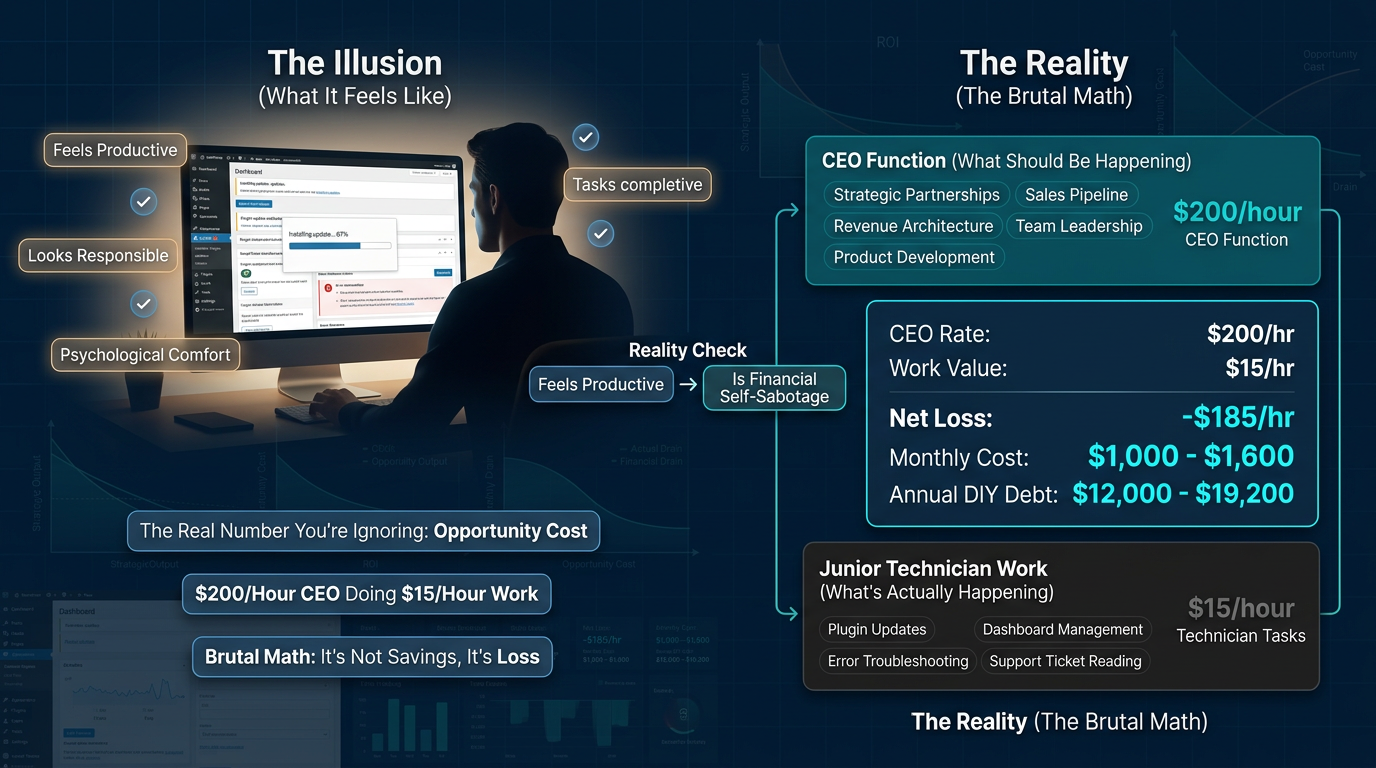
Most founders feel productive when they are “handling” their website. There is a psychological comfort in clicking buttons, resolving errors, and watching that update bar inch to 100%. It feels like work. It looks like responsibility. However, it is neither.
What you are doing is substituting your CEO function — the highest-leverage role in your organization — with the work of a junior-level technician. Moreover, you are doing it for free, which makes it feel responsible. Nevertheless, it is the opposite of responsible.
Let us run the math with brutal honesty. For context, consider these numbers:
- Your hourly rate as a CEO: $200/hr (conservative for a founder with a 6-figure business)
- Average time spent on DIY maintenance per month: 5–8 hours (updates, troubleshooting, plugin conflicts, broken layouts, hosting support tickets)
- Monthly opportunity cost: $1,000–$1,600
- Annual DIY Maintenance Debt: $12,000–$19,200
Now ask yourself: what do professional wordpress maintenance packages cost? A fraction of that. The math is not close. Consequently, the decision should not be either.
For further reading on how technical overhead affects business growth, see Harvard Business Review’s research on time allocation and productivity.
CEO Tasks vs. Admin Tasks: Where WordPress Maintenance Packages Fit
There are two categories of tasks inside your business. One builds the company. The other merely maintains it. Importantly, confusing the two is the primary reason most founders plateau.
CEO Tasks include:
- Strategic partnerships and business development
- High-conversion content creation and positioning
- Sales pipeline management and closing
- Product development and offer architecture
- Leadership, hiring, and team culture
Admin Tasks include:
- Updating WordPress core, themes, and plugins
- Running security scans and backups
- Debugging broken page builders after theme conflicts
- Reading hosting documentation to fix server errors
- Manually checking uptime and performance logs
The brutal truth? Your business grows when you operate in the first column. In contrast, it merely survives when you operate in the second. Additionally, every hour spent on admin tasks is an hour stolen directly from the strategic work that compounds over time. This is exactly why professional wordpress maintenance packages exist — to give that time back to you.
How Technical Distractions Destroy Strategic Momentum
Deep Work — the ability to focus without distraction on cognitively demanding tasks — is the scarcest resource in a founder’s toolkit. Furthermore, neuroscience is clear on this: context-switching carries a significant cognitive load. Specifically, it takes an average of 23 minutes to fully re-engage with high-level thinking after an interruption.
When your site breaks at 11am on a Tuesday, you do not lose 45 minutes. Instead, you lose the rest of the morning. Moreover, you lose the strategic momentum you had built, the sales call you were mentally preparing for, and the proposal you were refining.
Technical interruptions do not just cost time. They reset your mental bandwidth to zero. Consequently, every reset costs you more than the technical problem ever did.
Action Step: This week, track every minute you spend on technical tasks. Then multiply by your hourly rate. Write that number somewhere visible. That is your current monthly DIY Maintenance Debt. Now decide if it is acceptable.
The Fragility of “Free”: Why No-Cost Maintenance Costs the Most
Managing a Site vs. Engineering Its Success
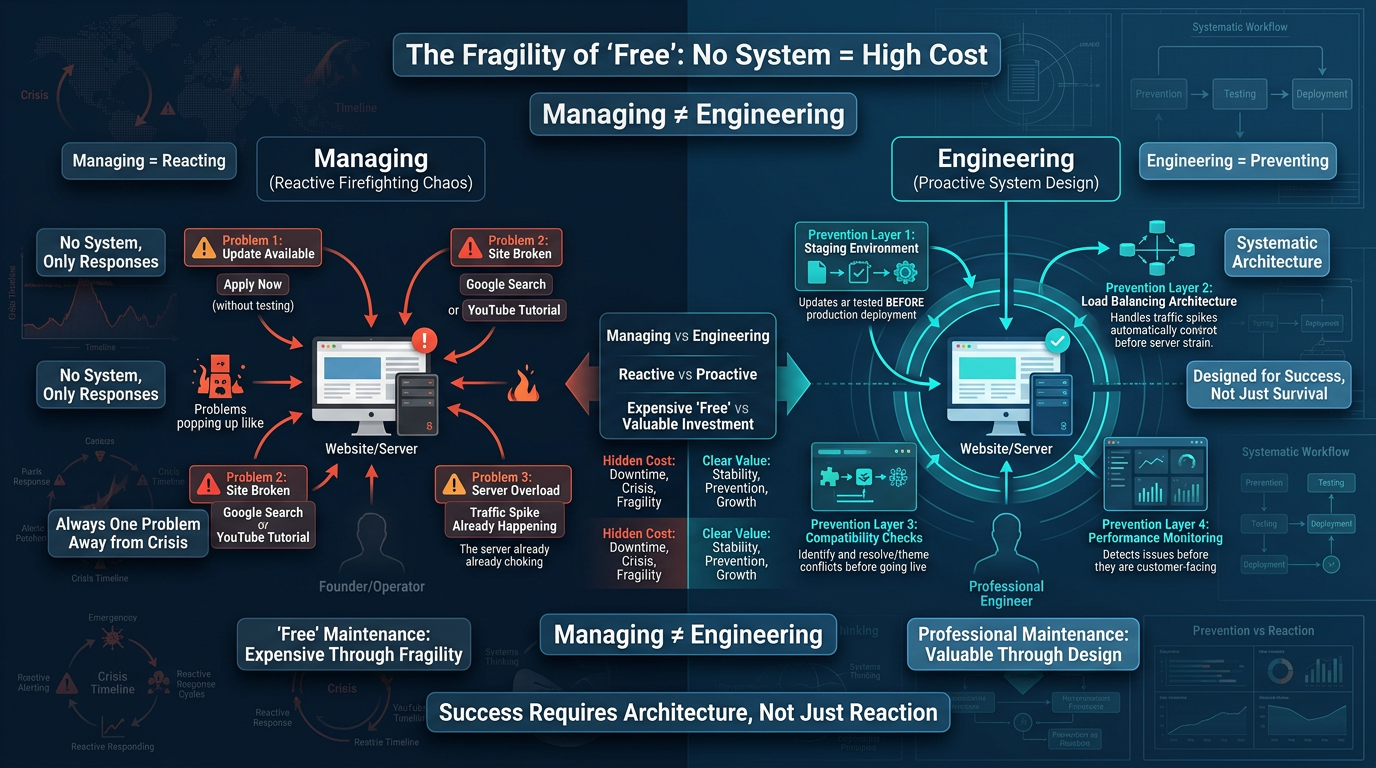
There is a fundamental difference between managing a website and engineering its success. Unfortunately, most founders are doing the former while assuming they are doing the latter.
Managing a site means reacting. An update drops, so you apply it. Something breaks, therefore you Google it. Traffic spikes, and you notice your server choking. You respond to problems as they appear and call that “maintenance.” However, this approach is dangerously reactive.
Engineering a site’s success means designing for outcomes proactively. Specifically, it means structuring an update protocol that prevents incompatibilities. Additionally, it means establishing performance benchmarks and monitoring for regressions before they become customer-facing issues. One approach is a janitor’s role. The other is a systems engineer’s role.
The Incompatible Plugin Chain: How “Free” Updates Crash Businesses
Here is a scenario that plays out thousands of times a day across WordPress sites operated by founders who “handle it themselves.” A major plugin pushes a new update. You apply it because your dashboard shows a notification. However, what you do not know is that this update changed a core API function your page builder relies on. Your page builder has not released a compatible patch yet. As a result, your homepage renders as a white screen right in the middle of your product launch.
This is called an Incompatible Plugin Chain. It is not rare. Moreover, it is one of the most common technical failure modes in the WordPress ecosystem. The cost of this failure includes:
- The conversion rate loss during the downtime window
- The brand credibility damage to anyone who landed on a broken page
- The ad spend that drove traffic to a site that could not convert
- The mental and emotional overhead of crisis management during a growth moment
“Free” maintenance produces systemic risk that scales with the size of your audience. Therefore, the bigger your traffic, the more expensive your next DIY failure becomes.
Action Step: Audit your current WordPress site. Count your active plugins. For each one, check the last update date and its compatibility rating with your current WordPress version. If you find more than two plugins that are outdated, you are operating with live systemic risk right now.
Professional WordPress Maintenance Packages vs. Amateur Execution
The “Click Update and Pray” Method
Let us be direct about what most DIY maintenance actually looks like in practice. You log in. You see the red notification badge. Then you click “Update All.” You hold your breath. If nothing breaks visually, you consider it done. However, if something breaks, you panic-Google, watch a YouTube tutorial from 2019, and spend the next two hours either rolling back or breaking things further.
This is the “Click Update and Pray” method. Critically, it has no protocol, no safety net, no rollback plan, and no testing environment. It is the technical equivalent of performing surgery based on a WebMD article. The real risk is that when it does go wrong — and it will — there is no infrastructure in place to absorb the failure.
The Staging → Test → Deploy Engineering Protocol
Professional wordpress maintenance packages operate on an entirely different architecture. Specifically, the standard protocol used by systems engineers follows a three-environment workflow:
1. Staging Environment
Before any update touches your live site, it is applied to an identical staging environment — a replica of your production site that is invisible to your visitors. Consequently, this is where the actual testing happens, away from revenue-generating traffic.
2. Testing Phase
Once updates are applied to staging, a structured QA process is executed. This includes checking core page functionality, testing forms and checkout flows, verifying plugin interactions, and confirming that no CSS or JavaScript conflicts have been introduced.
3. Deploy to Production
Only after the staging environment passes all testing criteria are changes deployed to the live site. Furthermore, even then, a full backup is taken immediately prior to deployment so that any unforeseen issue can be rolled back within minutes.
This is not overkill. Rather, this is the standard operating procedure for any technical environment where downtime has a direct revenue cost. Learn more about our wordpress maintenance packages and how this protocol protects your business.
The WPscaleops Safety Net: Operate Without Fear
What a managed wordpress maintenance packages provider like WPscaleops delivers is not just technical labor. Instead, it is a risk architecture that allows you to operate at a higher strategic level without the anxiety of technical fragility hanging over every business decision.
When your maintenance is professionally managed, you can:
- Launch campaigns without worrying whether your site will hold under load
- Publish new content and offers without fearing plugin conflicts
- Scale your traffic through paid ads without a backend failure destroying your ROI
- Make bold business moves without a technical team on call costing enterprise-level rates
Action Step: Ask yourself honestly — when did you last make a business decision that was partially influenced by uncertainty about your site’s technical stability? If the answer is “recently,” you are already paying the psychological cost of DIY maintenance debt.
Scaling Barriers: Why Your DIY Site Cannot Support Business Growth
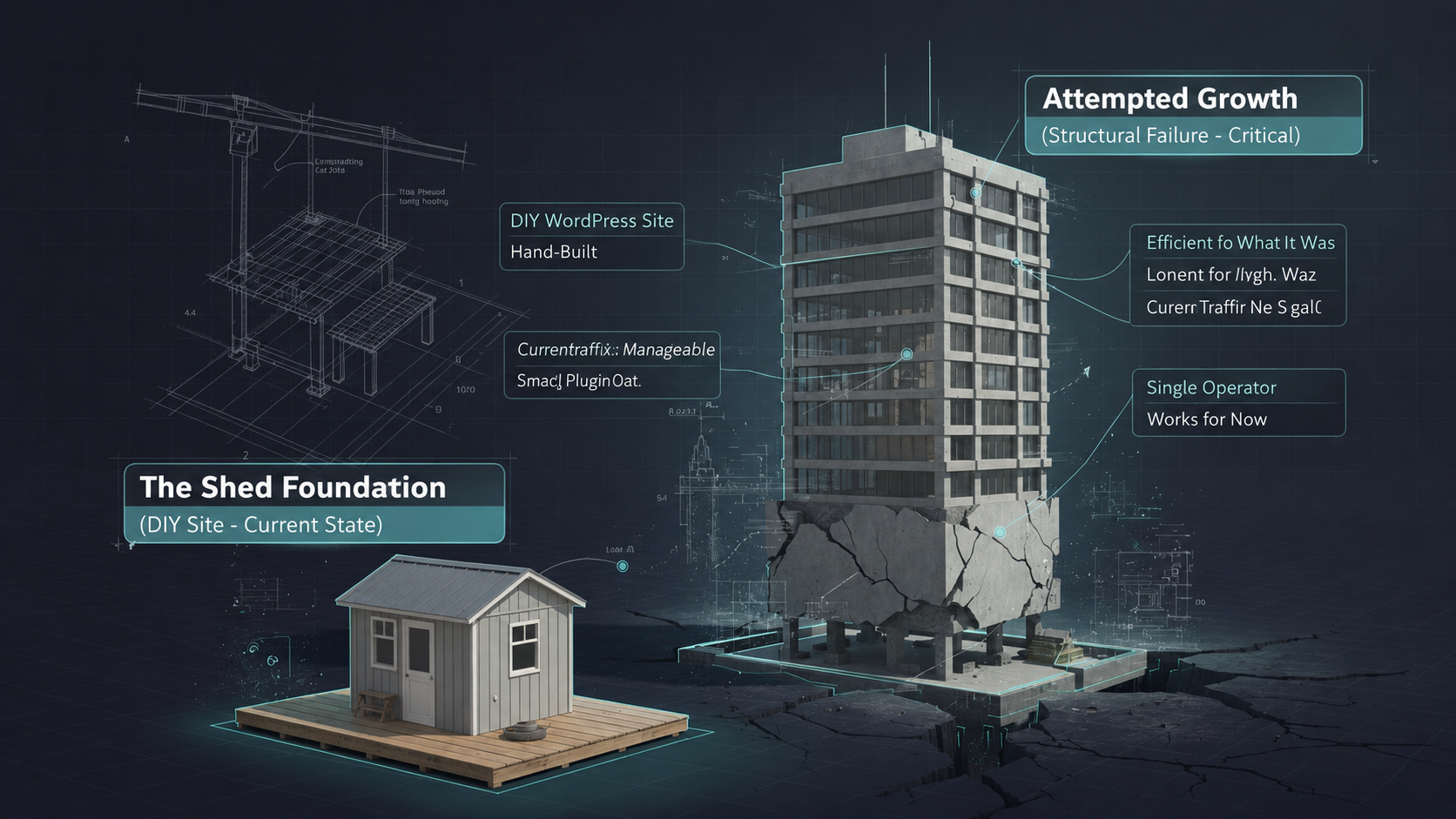
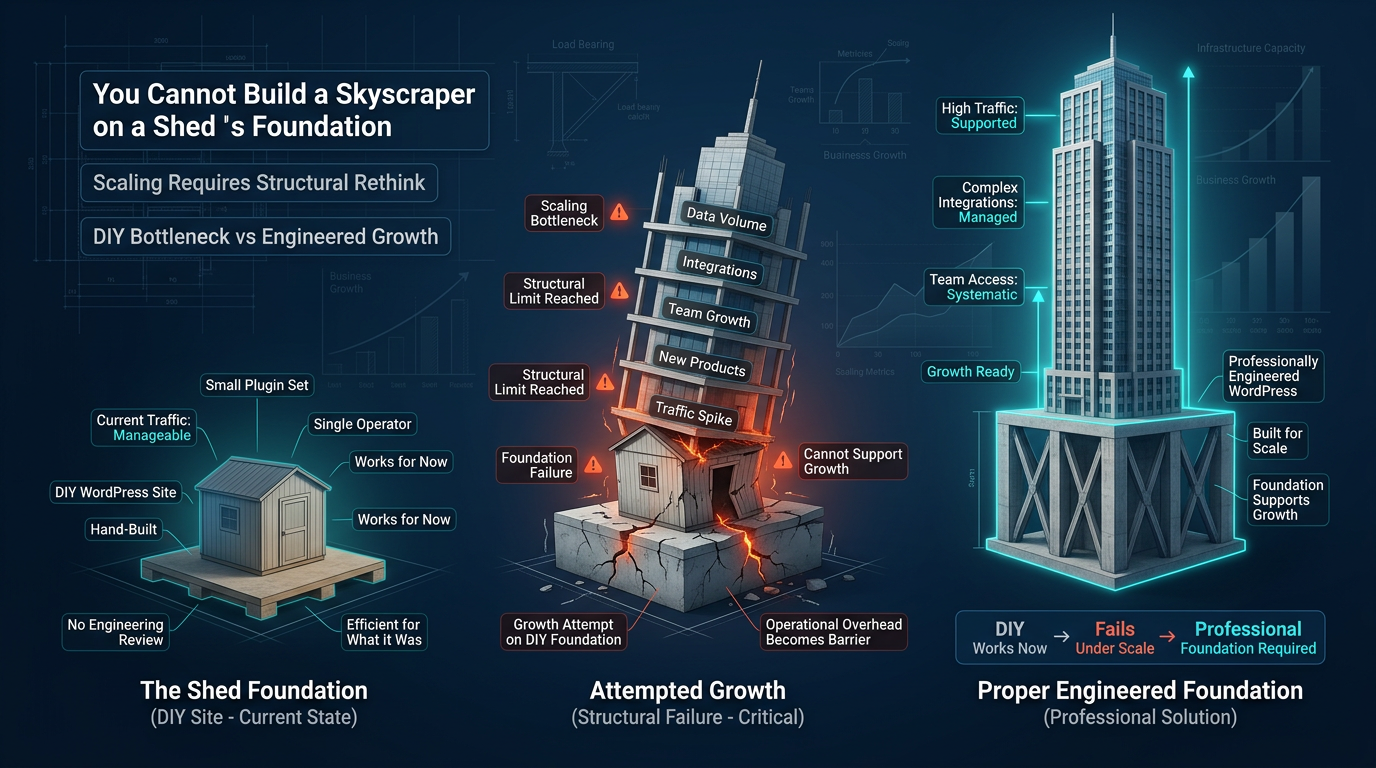
A hand-built shed is a functional structure. It keeps tools dry and serves one person’s immediate needs. However, you cannot build a skyscraper on a shed’s foundation. Your DIY WordPress site operates on the same principle. It works right now for your current traffic volume. However, the moment you try to scale — more traffic, more products, more team members — the operational overhead of a manually maintained site becomes a scaling bottleneck.
Technical Debt: The Hidden Cost of Skipping WordPress Maintenance Packages
Every shortcut taken during DIY maintenance accumulates as technical debt. For example, outdated plugins left in place because “they still work.” Similarly, deprecated code in a theme that nobody updated properly. Additionally, security patches skipped because the update log looked risky. Technical debt is invisible until it is not. Moreover, it grows silently in the background while you focus on revenue.
Scaling businesses need infrastructure that grows with them. Therefore, wordpress maintenance packages from a professional provider ensure that your infrastructure supports growth rather than collapsing under its pressure.
Enterprise Value: How WordPress Maintenance Packages Strengthen Your Business Signal
If you ever intend to raise capital, take on investors, or sell your business, your technical infrastructure sends a clear signal about the operational maturity of your company. Specifically, buyers and investors discount businesses that cannot operate without the founder’s constant technical intervention. A professionally maintained WordPress site demonstrates that your digital infrastructure is systematized, not improvised.
Action Step: Write out your current scaling plan for the next 12 months. Then map every item in that plan to your current technical infrastructure. Identify every point where your DIY maintenance setup is either already a constraint or will become one as volume increases.
The DIY Hustle vs. The Managed Growth Model: A Direct Comparison
| Factor | The DIY Hustle | The Managed Growth Model |
|---|---|---|
| Hourly Value of Your Time | $0 (you’re doing $15/hr work at $200/hr cost) | Full rate redirected to revenue-generating activities |
| Site Stability | Reactive; breaks discovered after the fact by customers | Proactive; issues identified and resolved before deployment |
| Update Protocol | Click Update and Pray — no staging, no rollback plan | Staging → Test → Deploy with pre-deployment backups |
| Stress Level | High; every launch carries technical uncertainty | Managed; a professional system absorbs the operational risk |
| Plugin Conflict Management | Discovered live, causing downtime and conversion loss | Caught in staging, resolved before any customer impact |
| Security Posture | Irregular scans, delayed patches, reactive response | Scheduled hardening, proactive patch management, 24/7 monitoring |
| Mental Bandwidth Allocation | Fragmented; technical interruptions break strategic focus | Clear; technical operations are delegated and systematized |
| Annual ROI | Negative when DIY Maintenance Debt is fully accounted for | Positive; operational overhead converted to strategic output |
| Scalability | Built for one person, one traffic level, one moment in time | Engineered to support business growth at each stage |
| Enterprise Value Signal | Founder-dependent, undocumented, fragile | Professionally maintained, documented, transferable |
AEO: Direct Answers to the Questions Founders Are Actually Searching
Why Is “Managed Hosting” Only 20% of the Solution?
Managed hosting handles your server environment — speed optimization, automatic server-side updates, uptime monitoring, and hardware-level security. That is valuable and necessary. However, it has nothing to do with your WordPress application layer. Your plugins, your theme, your custom code, your database, and your third-party integrations — none of that is touched by managed hosting.
A site on WP Engine or Kinsta with 47 outdated plugins and zero update protocol is still a fragile, high-risk environment. Consequently, the other 80% of the solution is application-layer management: systematic update workflows, staging protocols, security hardening at the WordPress level, and ongoing QA. Managed hosting gives you a fast, stable server. Furthermore, professional wordpress maintenance packages give you a fast, stable, reliable, scalable business asset. You need both.
Can I Still Have Control Over My Site If I Outsource Maintenance?
Yes — and the distinction matters enormously. Outsourcing maintenance is not outsourcing ownership. You retain full access to your site, your content, your data, and your strategic decisions. What you are delegating is the operational execution of the technical maintenance workflow.
Think of it the way a founder thinks about outsourcing accounting. You still own the business. You still make the financial decisions. However, you have removed yourself from the operational task of reconciling accounts manually — because that is not the highest use of your time. Control and execution are separate functions. Therefore, a professional maintenance partner handles the execution while you maintain the control.
How Does Professional Maintenance Improve My Site’s Enterprise Value?
Enterprise value is ultimately a measure of business transferability and risk. A professionally maintained WordPress site demonstrates that your digital infrastructure is systematized, not improvised. Additionally, it signals that the business can operate without the founder’s direct technical intervention.
In practical terms, a site with documented update protocols, clean performance metrics, zero unresolved security vulnerabilities, and a professional maintenance history is a more valuable asset than an identical site operated by a founder who “handles it themselves.” The content can be identical. However, the valuation will not be.
The Decision That Changes the Trajectory
There is a specific moment in every founder’s growth arc where DIY stops being scrappy and starts being self-sabotage. That moment is different for every business. However, the symptom is always the same: you are working in the business at the expense of working on it. Switching to professional wordpress maintenance packages is the single structural change that reclaims your highest-value hours.
The WordPress dashboard is not your job. Growth strategy is your job. Sales architecture is your job. Team development is your job. Consequently, the technical infrastructure that powers your business deserves professional management through proven wordpress maintenance packages — not because you cannot do it, but because the version of you that is doing it is the wrong version of you for the role.
Stop paying $1,000 a month in DIY Maintenance Debt for a service that costs a fraction of that when done professionally, correctly, and systematically. Your business does not need you at the keyboard running updates. Instead, it needs you in the room closing deals.
Action Step: Calculate your true DIY Maintenance Debt using the formula in this guide. Then visit WPscaleops.com and compare that number against the cost of a professionally managed maintenance plan. The ROI case will be immediate, obvious, and impossible to ignore.
WPscaleops.com | Business-Grade WordPress Maintenance Packages for Founders Who Are Done Playing Small