

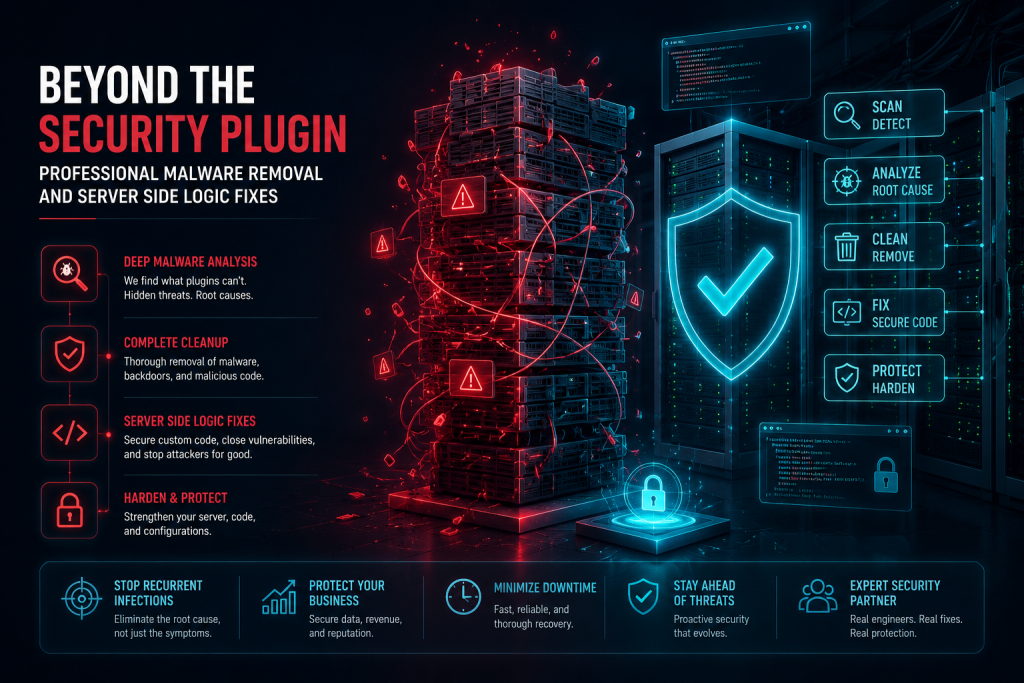
Beyond the Security Plugin: Professional Malware Removal and Server Side Logic Fixes
There is a particular kind of frustration that only shows up after a site has been hacked more than once. The first infection feels like bad luck. A security plugin gets installed, a scan runs clean, and everyone moves on. Then it happens again. And again. Each time, the plugin reports the site as clean shortly after the cleanup, and each time, within weeks or sometimes days, the malware is back, often in a slightly different form, as if the plugin never touched the actual source of the problem in the first place.
This pattern is extremely common, and it points to a fact that most site owners never learn until they have lived through it directly. A security plugin is a valuable layer of defense, but it was never designed to be a complete security solution on its own. It scans for known malware signatures, blocks common attack patterns, and alerts you when something looks wrong. What it generally cannot do is trace a persistent infection back to a server side vulnerability, properly audit custom code for logic flaws like SQL injection, or fix the underlying misconfiguration that keeps letting attackers back in through the same door, dressed slightly differently each time. This article walks through what real, professional malware removal and server side security hardening actually involves, for CTOs, IT managers, and site owners who have already discovered that a plugin alone was never going to be enough.
The Myth of Plugin Only Security
Security plugins occupy a strange place in the WordPress ecosystem. They are genuinely useful, and no serious security strategy should exclude them entirely. But the marketing language surrounding many of these tools, promising complete protection with a single install, has created a widespread and dangerous misconception, that installing one is equivalent to having a real security program in place.
What a Security Plugin Actually Does
Most WordPress security plugins operate primarily through signature based scanning, comparing files on your server against a known database of malware patterns, and through a set of pre configured firewall rules designed to block common, well documented attack techniques. This is valuable work, and it catches a meaningful share of low sophistication attacks, the automated bots scanning millions of sites for known, unpatched vulnerabilities, looking for the easiest possible targets rather than specifically targeting your site.
The problem is what falls outside this model entirely. Signature based scanning can only detect malware that matches a pattern already known to the plugin’s database. Any new or customized malicious code, anything an attacker has modified even slightly to avoid detection, or any malicious logic that is not really malware in the traditional sense but rather a subtly modified piece of legitimate looking code, routinely slips past this kind of scan without triggering any alert at all.
Why High Traffic and Custom Sites Are Especially Vulnerable
The gap between plugin based protection and real security becomes most dangerous on sites that carry meaningful traffic, custom functionality, or valuable data, precisely the sites that attract more sophisticated, targeted attention rather than only opportunistic automated bots. A high traffic ecommerce site processing real transactions, a membership platform storing user data, or a business site with custom logic built specifically for that organization presents a more attractive and more unique target, and a more unique target means a plugin’s generic, signature based rules are less likely to have ever encountered the specific attack pattern being used against it.
Custom code compounds this risk considerably. A theme or plugin built specifically for a business, containing custom database queries, custom REST API endpoints, or custom file handling logic, has never been reviewed by the security researchers who build the signature databases that popular security plugins rely on. Vulnerabilities in this custom code, a SQL injection flaw in a bespoke search feature, an insecure file upload handler built for a client specific need, are effectively invisible to a plugin that was only ever trained to recognize patterns found in widely distributed, publicly known software.
The Recurring Infection Pattern Explained
This gap explains almost every case of recurring malware infection that plugin based cleanup fails to resolve. A plugin identifies and removes the visible symptom, a malicious file, a suspicious script injected into a template, a spam link hidden in the footer, and reports the site clean. What the plugin did not find, because it was never built to look for it, is the actual entry point, a vulnerability in custom server side logic, an insecure file permission, a compromised administrator credential, or a hidden backdoor deliberately designed to look like legitimate WordPress core code. The attacker, still holding that entry point, simply uses it again once the visible symptom has been cleaned up, and the cycle repeats, often with the site owner growing increasingly frustrated with a security plugin that appears to be failing at the one job it was purchased to do.
Real Time Monitoring Versus Periodic Scanning
Another meaningful gap between plugin only security and genuine professional protection is the difference between periodic scanning and real time monitoring. Most security plugins scan on a schedule, once a day, once a week, or on demand when manually triggered. Between scans, an attacker who has gained access has an open window to operate freely, modify files, exfiltrate data, or establish additional backdoors before the next scheduled scan has any chance of catching the activity.
A real time WP security audit approach works differently, actively monitoring file integrity, server logs, and unusual behavior continuously rather than in scheduled snapshots. This means a suspicious file modification, an unexpected spike in outbound server requests, or an unusual login pattern can be flagged and investigated within minutes rather than being discovered a day or a week later, by which point an attacker has often had ample time to do significant damage or establish redundant access points specifically designed to survive a single cleanup pass.
The Dangerous Comfort of a Clean Scan Result
There is a particular psychological trap that plugin only security tends to create, and it is worth naming directly because it is exactly what allows repeated compromises to go unaddressed for far longer than they should. A clean scan result feels conclusive. It tells the site owner, in clear, confident language, that the site is safe, which understandably reduces urgency around investigating further, even when other warning signs, unusual server load, unexpected outbound emails, complaints from visitors about strange redirects, suggest that something is still genuinely wrong.
This false sense of resolution is arguably more dangerous than having no security tool at all, because a site owner with no scanner running at least knows they have not verified anything. A site owner relying on a plugin’s clean result has been given specific, confident reassurance that turns out to be based on a narrow definition of clean, one that only reflects the absence of known malware signatures in scanned files, not the absence of a genuine, ongoing compromise operating through channels the scan was never built to examine. Recognizing this gap is often the first step toward finally seeking a professional investigation, usually only after enough repeated infections have made the plugin’s clean result impossible to trust at face value any longer.
Manual Malware Eradication
When a site has been genuinely compromised, particularly in a case involving repeated reinfection, the correct response is not another automated scan and cleanup cycle. It is a manual, methodical investigation carried out by someone who understands both WordPress internals and how attackers typically establish and maintain access. This process looks meaningfully different from what most security plugins do, and it is worth walking through what it actually involves.
Starting With a Complete Forensic Review
Professional malware eradication begins with understanding the full scope of the compromise before touching anything, rather than immediately deleting suspicious files and hoping for the best. This means reviewing server access logs to establish a timeline, identifying when the compromise likely began, what request patterns preceded it, and what IP addresses or user agents were involved. It means comparing every file on the server against a known clean baseline, whether from official WordPress core and plugin repositories or from a verified clean backup, to identify every single file that has been added, modified, or altered in any way, not just the obviously suspicious ones a quick visual scan might catch.
This forensic step matters enormously because attackers rarely leave only one point of access. A sophisticated compromise often includes multiple backdoors deliberately distributed across different parts of the file system, precisely so that removing one does not fully evict the attacker. Skipping the thorough review in favor of quickly removing the most obvious malicious file is exactly how the recurring infection pattern described above continues to happen even after supposedly successful cleanup attempts.
Cleaning Database Bloat and Hidden Injections
Malware on a WordPress site is not confined to files. A significant category of compromise lives inside the database itself, injected directly into post content, widget settings, theme options, or custom fields, where it can remain completely invisible to a file based scan no matter how thorough that scan is. Attackers frequently inject hidden spam links into post content that render invisibly through CSS manipulation, insert malicious JavaScript into widget text fields that execute in visitors’ browsers, or plant conditional redirect logic inside theme options that only activates for visitors coming from search engines, specifically to avoid detection by the site owner who is browsing the site directly and never triggers the malicious condition.
Cleaning this properly requires a careful, methodical review of database content, table by table, looking specifically for content that does not belong, unusual patterns of encoded or obfuscated text, and options or settings that have been altered in ways that do not match legitimate site configuration. This is meticulous work, and it is precisely the kind of work that automated tools, built primarily to scan files rather than parse and evaluate the meaning of database content, are poorly suited to do thoroughly.
Identifying and Removing Hidden Backdoors
A backdoor is code deliberately planted by an attacker to allow continued access to a compromised site even after the original vulnerability that allowed entry has been fixed. Sophisticated backdoors are specifically designed to avoid detection, often disguised as legitimate looking WordPress core files, given innocuous names that closely resemble real system files, or hidden inside otherwise legitimate plugin or theme files through a small, carefully placed code insertion that blends in with surrounding legitimate code.
Finding these requires genuine expertise in reading and understanding PHP code at a level most automated scanners cannot replicate, recognizing when a function call, however innocuous it looks at first glance, is actually being used to execute attacker supplied commands, decode and run obfuscated payloads, or grant unauthorized administrative access. This is not pattern matching against a known signature database. It is code review performed by someone who understands both how legitimate WordPress code is normally structured and how attackers deliberately disguise malicious code to blend into that structure.
Verifying Complete Eradication Before Declaring the Site Clean
Professional malware removal does not conclude the moment the obviously malicious files and database entries have been removed. A proper process includes verification, confirming that every entry point identified during the forensic review has actually been closed, checking that no additional backdoors remain hidden elsewhere in the file system or database, and monitoring the site closely in the days following cleanup to confirm the infection does not reappear. This verification step is precisely what most plugin driven cleanup processes skip entirely, declaring victory as soon as the most visible symptoms are gone, which is exactly why so many site owners find themselves back in the same situation within weeks of what they believed was a successful cleanup.
Checking for Cross Contamination in Shared Hosting Environments
A frequently overlooked source of reinfection has nothing to do with WordPress itself and everything to do with the hosting environment surrounding it. Many sites, particularly smaller and mid sized business sites, run on shared hosting environments where multiple websites, sometimes belonging to entirely unrelated businesses, share the same underlying server resources. If one of those neighboring sites is compromised and not properly isolated at the server level, an attacker can potentially move laterally from the compromised neighbor into other sites on the same server, including a site that has otherwise been thoroughly cleaned and hardened on its own.
Professional malware eradication accounts for this possibility directly, checking whether the hosting environment provides genuine isolation between accounts, reviewing whether any other sites on the same server show signs of compromise, and in cases where shared hosting genuinely cannot provide adequate isolation, recommending migration to an environment that can. A perfectly clean and hardened WordPress installation sitting on a hosting environment that allows lateral movement from a compromised neighbor is still a site at serious ongoing risk, regardless of how thorough the WordPress specific cleanup was.
Preserving Evidence for Root Cause Analysis
A rushed cleanup, focused entirely on removing malicious content as quickly as possible, often destroys the evidence needed to definitively identify how the attacker originally gained access. Professional eradication takes a more deliberate approach, preserving copies of malicious files and relevant log data before removal specifically so that root cause analysis can be completed thoroughly. Without this evidence, it becomes considerably harder to confirm with confidence exactly which vulnerability was exploited, which means the hardening work that follows risks addressing the wrong gap, or addressing several plausible gaps without ever confirming which one actually mattered, leaving genuine uncertainty about whether the true entry point has actually been closed.
Hardening the Core
Removing existing malware addresses the immediate crisis, but it does nothing to prevent the underlying vulnerability from being exploited again, whether by the same attacker or a different one who discovers the same weakness independently. Hardening addresses this second half of the problem, closing the specific technical gaps that allowed the compromise to happen in the first place.
REST API Hardening
The WordPress REST API is a powerful feature that allows external applications, including legitimate integrations a business genuinely relies on, to interact programmatically with a WordPress site. It is also, when left in its default configuration, a significant and frequently underestimated attack surface. Several REST API endpoints expose user information by default, including usernames, which attackers can harvest to fuel targeted login attempts against real administrator accounts. Custom REST API endpoints built for a business specific integration, if not carefully secured, can expose far more serious vulnerabilities, allowing unauthenticated access to functionality that should require proper authorization.
Proper REST API hardening involves auditing every registered endpoint, both core WordPress endpoints and any custom ones built for the site, to confirm that each one enforces appropriate authentication and permission checks before returning data or executing an action. It involves disabling or restricting endpoints that expose user enumeration data unnecessarily. And for custom endpoints built specifically for business integrations, it involves careful review of exactly what data each endpoint accepts as input and exactly how that input is validated before being used, since a custom endpoint built quickly without security review is a common and serious source of exactly the kind of vulnerability that leads to a compromise.
SQL Injection Prevention
SQL injection remains one of the most serious vulnerability categories in any web application, WordPress included, because a successful injection can grant an attacker direct access to read, modify, or delete data in the site’s database, well beyond what a typical file based compromise alone would allow. SQL injection vulnerabilities arise when user supplied input, anything coming from a form field, a URL parameter, or an API request, is inserted directly into a database query without being properly separated from the query’s actual logic. When this happens, a carefully crafted piece of input can trick the database into executing commands the original query was never intended to run.
WordPress core itself has been extensively hardened against this category of vulnerability over many years of development, using prepared statements and parameterized queries throughout its core codebase specifically to keep user input properly separated from query logic. The real risk almost always lives in custom code, a custom plugin, a bespoke theme feature, or a piece of business specific functionality built without the same rigorous security discipline applied to WordPress core itself. Proper SQL injection prevention means auditing every place custom code interacts with the database, confirming that user input is always handled through WordPress’s built in prepared statement functions rather than being concatenated directly into raw query strings, and treating any deviation from this practice as a serious finding requiring immediate remediation, not a minor style preference to address eventually.
Authentication and Access Control Hardening
Many compromises trace back not to a sophisticated technical exploit but to weak or reused administrator credentials, combined with a login system that places no meaningful limits on repeated failed attempts. Hardening this layer includes enforcing strong password requirements for every account with elevated privileges, implementing two factor authentication for administrator access, limiting and monitoring failed login attempts to prevent brute force attacks from succeeding through sheer persistence, and conducting a careful review of every user account with administrative or editor level access to confirm that each one is legitimate, still needed, and appropriately scoped to only the level of access that account genuinely requires for its actual purpose.
This last point deserves particular attention on sites that have existed for several years, accumulating user accounts created for past employees, past contractors, or past integrations that were never properly deactivated once their original purpose ended. Every one of these dormant accounts with elevated privileges represents a potential entry point that a proper hardening process specifically audits and closes.
Disciplined Plugin and Core Update Management
A significant share of WordPress compromises exploit vulnerabilities that have already been publicly disclosed and already have an available patch, simply because the affected site had not yet applied that patch. This is one of the more preventable causes of compromise, and it points to update discipline as a genuine security control in its own right, not merely a maintenance convenience. Hardening in this area means maintaining an accurate, current inventory of every plugin and theme in use, actively monitoring for security advisories affecting any of them, and applying patches promptly rather than allowing updates to accumulate indefinitely out of caution about potential compatibility issues.
This is precisely where a proper staging and testing process, described in detail in other parts of our security and deployment guidance, becomes directly relevant to security itself, not just to avoiding functional breakage. A disciplined update process that tests patches on staging before deploying them to production allows a business to apply security patches quickly and confidently, closing known vulnerabilities promptly, rather than delaying updates out of fear that a patch might break something, a fear that, left unaddressed, often results in known vulnerabilities sitting unpatched on a live site for months, quietly waiting to be exploited.
Server Side Logic Protection
Beyond WordPress specific hardening, a genuinely secure site depends on the underlying server environment being configured correctly, an area that falls outside what any WordPress plugin, however well built, has any real ability to control or fix.
Secure File Permissions
File and directory permissions determine exactly who and what is allowed to read, write, or execute files on the server, and misconfigured permissions are a surprisingly common contributing factor in both initial compromises and, critically, in why some compromises persist even after files appear to have been cleaned. Permissions that are too permissive, allowing broader write access than necessary, can allow an attacker who has gained even limited access through one vulnerability to modify additional files well beyond what the original vulnerability should have exposed, effectively turning a small, contained problem into a much larger one.
Proper file permission configuration follows the principle of least privilege throughout the entire file system, ensuring that directories and files are set to the minimum level of access actually required for the site to function correctly, that the web server process does not have unnecessary write access to core files it should never need to modify during normal operation, and that particularly sensitive files, containing database credentials and other configuration secrets, are restricted as tightly as possible while still allowing the site to function. This is detailed, environment specific work that requires understanding exactly how the particular hosting environment, web server software, and PHP configuration interact, not a generic checklist that applies identically to every server regardless of its specific setup.
Monitoring Server Resources for Early Warning Signs
A compromised site frequently exhibits unusual server resource consumption before the compromise becomes visible in any more obvious way, whether through unexpected spikes in outbound network traffic as stolen data is exfiltrated or as the compromised site is used to send spam, unusual CPU usage patterns consistent with the server being used to mine cryptocurrency or participate in a coordinated attack against other targets, or unexpected disk usage growth as an attacker stages additional malicious files or tools on the compromised server for later use.
Proper server side monitoring tracks these resource patterns continuously, establishing a baseline for what normal usage actually looks like for a specific site and flagging meaningful deviations from that baseline for immediate investigation. This kind of monitoring operates at a level below what any WordPress specific security plugin has visibility into, since it concerns the underlying server environment itself rather than anything happening specifically within the WordPress application layer.
Web Application Firewall Configuration Beyond Default Rules
Many hosting environments and security plugins offer a web application firewall with a set of default rules designed to block common, widely known attack patterns. This is a valuable baseline layer, but a genuinely hardened site goes further, configuring firewall rules specifically tailored to the site’s actual plugin stack and custom functionality, rather than relying solely on generic rules built to protect against the most common attacks across the entire WordPress ecosystem broadly.
This custom configuration means understanding exactly which endpoints and functionality the specific site actually exposes, and building rules that specifically protect those exposures, rather than trusting that a generic, one size fits all rule set happens to cover every relevant risk for that particular site’s unique combination of custom code and third party plugins.
Disabling Unnecessary PHP Functions and Execution Contexts
A significant category of malware relies on executing PHP code from locations on the server that should never be executing code at all, most commonly the uploads directory, which is designed to hold images and documents but, if misconfigured, can also execute a malicious PHP file an attacker has managed to upload. Properly hardened server configuration explicitly disables PHP execution within upload directories and any other location where executable code has no legitimate reason to run, closing off an entire category of attack regardless of how the malicious file initially made its way onto the server.
Similarly, disabling specific PHP functions that are commonly abused by malware but rarely needed by legitimate WordPress functionality, functions capable of executing arbitrary system commands or evaluating dynamically generated code, removes tools that an attacker who has gained limited access would otherwise use to escalate that access into something far more damaging. This kind of server level hardening requires genuine familiarity with both PHP internals and the specific requirements of the site’s actual codebase, to confirm that disabling these functions does not inadvertently break legitimate functionality the site actually depends on.
Protecting Backup Integrity
Backups are a critical part of any recovery plan, but a backup taken after a compromise has already occurred, without anyone realizing it, simply preserves the infection alongside the legitimate data, ready to reintroduce the same malware the moment that backup is ever restored. Proper server side protection includes verifying the integrity of backups themselves, confirming they are being generated correctly, stored securely with appropriate access restrictions, and, critically, checked against known clean baselines periodically so that a backup rotation does not end up being the very thing that reintroduces a cleaned infection weeks later during an unrelated restore.
Backup storage location matters here as well. Backups stored within the same compromised environment they are meant to protect against offer little real protection, since an attacker with sufficient access to compromise the live site may also be able to reach and corrupt backups stored in the same location. Proper hardening includes storing backups in a genuinely separate, access controlled location, specifically so that a clean recovery point remains available and trustworthy even in the event of a serious compromise affecting the primary environment.
Isolating Staging and Development Environments
Staging and development environments, while essential for safe testing as described elsewhere in our guidance on professional deployment practices, can themselves become a security liability if not properly isolated and secured. A staging environment left publicly accessible without proper access restriction, running the same codebase and often a copy of the same sensitive data as production, represents an additional attack surface that a determined attacker may probe specifically because it frequently receives less security attention than the production environment itself.
Proper server side hardening extends security discipline to these secondary environments as well, ensuring staging and development sites are protected behind authentication, excluded from search engine indexing, and, where they contain copies of sensitive production data, subject to the same access controls and monitoring the production environment itself receives. A hardened production site sitting alongside an unsecured staging environment containing the same sensitive data has not actually solved the underlying risk, only moved it to a location that receives less attention.
Why This Requires an Engineering Discipline, Not a Checklist
Every practice described in this article, forensic malware investigation, database level cleanup, REST API hardening, SQL injection prevention, file permission configuration, server resource monitoring, sits well outside what a general checklist or a one click plugin setting can reliably accomplish. Each of these tasks requires understanding the specific site in front of you, its custom code, its particular plugin combination, its actual server environment, rather than applying a generic set of rules uniformly across every WordPress site regardless of what makes that specific site’s risk profile unique.
This is precisely why security for a serious, high traffic, or custom developed site needs to be treated as an ongoing engineering discipline rather than a one time software purchase. A security plugin installed once and left to run on autopilot cannot adapt to a site’s evolving custom codebase, cannot investigate a compromise with the depth a genuine forensic review requires, and has no visibility whatsoever into the server environment underneath the WordPress application itself. Real protection requires engineers who understand WordPress internals, server administration, and secure coding practices together, applying that combined expertise specifically to the site in question rather than relying on a generic tool built to serve every WordPress site in existence with the same static rule set.
Plugin Only Security Versus Professional Engineering
| What You Need | Security Plugin Alone | Professional Security Engineering |
|---|---|---|
| Detection method | Known malware signatures | Manual forensic review of files and database |
| Custom code vulnerabilities | Not reviewed | Audited for SQL injection and insecure logic |
| Hidden backdoors disguised as core files | Often missed | Identified through manual code review |
| REST API and custom endpoints | Default rules only | Audited and hardened individually |
| Server level configuration | No visibility | File permissions, PHP execution, resource monitoring |
| Monitoring cadence | Scheduled scans | Continuous real time monitoring |
A Self Assessment for CTOs and IT Managers
For technical leaders trying to determine whether their organization’s current security posture is genuinely sufficient, it helps to ask a few direct questions rather than relying on a plugin’s dashboard status. Has the site experienced more than one malware infection within the past year, particularly infections that reappeared after a cleanup was believed to be complete. Does the site run any custom plugins, themes, or REST API endpoints that have never been through a dedicated security code review. Is there a documented, current inventory of every user account with administrative access, confirming that each one is still legitimately needed. Has file permission configuration ever been reviewed specifically for security purposes, rather than simply left at whatever defaults the hosting provider originally applied. And is backup integrity actively verified, or is it simply assumed to be fine because backups are running on schedule.
A single yes among these questions is worth taking seriously. Multiple yes answers, particularly a history of recurring infections combined with custom code that has never been security reviewed, indicate real, currently unaddressed risk sitting inside the organization’s web infrastructure, independent of whatever a security plugin’s dashboard currently reports.
What This Looks Like in Practice
Consider a business that has experienced three separate malware infections over six months, each time running a full scan and cleanup through a popular security plugin, and each time seeing the infection return within a matter of weeks. A professional investigation into this pattern typically uncovers a very different picture than the plugin’s clean scan results suggested. A forensic review of server logs reveals repeated access to a specific custom REST API endpoint built for a client portal integration, an endpoint that, on closer inspection, never properly validated whether the requesting user actually had permission to access the data it returned. Database review uncovers a hidden redirect script planted inside theme options months earlier, invisible to file based scanning and never triggered during the site owner’s own browsing, since it only activated for visitors arriving from search engine results.
Manual code review identifies the actual backdoor, a small, carefully disguised code insertion inside a legitimate looking file that had survived all three previous cleanup attempts because it was never flagged by the security plugin’s signature database. Remediation in this case involves properly securing the vulnerable REST API endpoint with correct authentication checks, removing the hidden redirect script from the database, eliminating the disguised backdoor after confirming exactly what it did and how it had been used, and then hardening file permissions and disabling PHP execution in the uploads directory specifically to prevent the same category of attack from succeeding again in the future. This is the kind of layered, thorough process that finally breaks the reinfection cycle, precisely because it addresses the actual root cause rather than repeatedly cleaning up the same visible symptom.
A Second Scenario: Discovering a SQL Injection Vulnerability Before It Is Exploited
Not every engagement begins with an active compromise. Consider a growing SaaS company running a WordPress marketing site with a custom built lead capture form that queries an internal database directly to check for duplicate submissions before processing a new lead. During a proactive security audit, conducted specifically because the CTO wanted assurance before a major funding announcement was expected to bring a significant increase in site traffic and visibility, a review of the custom form handling code reveals that the duplicate check query concatenates user submitted email addresses directly into a raw SQL string rather than using a properly parameterized query.
This is a textbook SQL injection vulnerability, and critically, it had not yet been exploited, meaning no cleanup was needed, only remediation. The fix involves rewriting the query to use WordPress’s built in prepared statement functions, properly separating user input from query logic, and then reviewing every other custom database interaction across the site for the same pattern, since a vulnerability found once in custom code is a strong signal that the same insecure pattern may have been repeated elsewhere by the same original developer. This kind of proactive discovery, catching a serious vulnerability before it is ever exploited rather than after, is precisely the value of a real time WP security audit conducted by engineers who understand how to read and evaluate custom code, not just scan files against a signature database.
Frequently Asked Questions About Professional Security Hardening
How long does a proper malware investigation and cleanup typically take
The timeline depends heavily on the complexity of the site and the extent of the compromise, but a thorough investigation, including forensic log review, full file and database comparison against a clean baseline, and manual code review of custom functionality, generally takes meaningfully longer than an automated plugin scan and cleanup cycle. This additional time is what allows the process to actually identify and close the true entry point, rather than simply removing the most visible symptom and hoping the underlying vulnerability does not get exploited again.
Will hardening measures like disabling PHP execution in the uploads folder break any existing functionality
Properly implemented hardening is configured specifically around the site’s actual functionality, confirming that no legitimate feature depends on executing code from a location that is being restricted before that restriction is applied. This is exactly why server side hardening needs to be handled by someone with genuine familiarity with the site’s codebase, rather than applied as a generic, one size fits all configuration that risks breaking legitimate functionality the site actually depends on.
What is the difference between a web application firewall and REST API hardening
A web application firewall generally operates as a broad layer, inspecting incoming requests against a set of rules designed to catch common attack patterns before they ever reach the WordPress application itself. REST API hardening operates at a more specific, granular level, reviewing each individual endpoint’s own authentication and permission logic to confirm it behaves correctly even for requests that a general firewall rule would not necessarily flag as suspicious. The two are complementary layers, not substitutes for one another.
Do we need server side hardening if our site is hosted on a fully managed WordPress hosting platform
Managed hosting platforms typically provide a solid baseline of server level security, but the specific hardening measures described throughout this article, custom REST API endpoint review, SQL injection prevention in custom code, file permission configuration tailored to the site’s actual codebase, and monitoring calibrated to the site’s specific traffic patterns, generally require review and configuration specific to the site itself, beyond what a generic managed hosting baseline applies uniformly across every site on the platform.
How do we know if a past infection has been fully resolved or if a hidden backdoor might still remain
Confidence here comes from a completed forensic review that specifically traced the compromise back to its actual entry point, confirmed every location the attacker modified, and verified that each of those locations has been properly remediated. A history of repeated reinfection after previous cleanup attempts is itself a strong signal that a hidden backdoor was never actually identified in earlier efforts, and it warrants a full manual investigation rather than another round of automated scanning.
Is real time monitoring necessary for a smaller business site that does not process sensitive data
Even sites that do not directly process sensitive customer data remain valuable targets to attackers for other purposes, sending spam, hosting malicious redirects, or serving as a launch point for attacks against other targets, all of which can happen without ever directly compromising customer data. Real time monitoring reduces the window during which any of this can happen undetected, and its value scales with how quickly a compromise, once it occurs, needs to be caught to limit the resulting damage.
What a Breach Actually Costs Beyond the Cleanup Itself
Business owners and technical leaders evaluating whether professional security engineering is worth the investment often focus narrowly on the cost of a single cleanup engagement, comparing it against the cost of a security plugin subscription. This comparison misses the much larger financial exposure that a genuine compromise carries, extending well beyond whatever it costs to remove the malware itself.
Search Engine Penalties and Traffic Loss
Search engines actively scan the web for compromised sites, particularly those serving malicious redirects, hidden spam content, or malware to visitors. Once a site is flagged, it can be removed from search results entirely or marked with a warning that discourages users from visiting at all, even after the underlying compromise has been fully resolved. Recovering from this kind of search penalty is rarely instant. It often takes weeks of demonstrated clean status before search engines fully restore previous rankings and remove warning labels, during which time a business dependent on organic search traffic for leads or sales experiences a sustained, compounding revenue impact that frequently exceeds the direct cost of the cleanup itself many times over.
Customer Trust and Data Exposure Liability
For any business handling customer data, payment information, account credentials, personal details submitted through forms, a genuine compromise carries potential liability well beyond the immediate technical incident. Depending on what data was accessible and what regulations apply to the business’s industry and location, a breach involving customer data may trigger disclosure obligations, regulatory scrutiny, and a lasting erosion of customer trust that is considerably harder to rebuild than a damaged search ranking. Businesses that have experienced this kind of breach consistently report that the reputational and legal aftermath, not the technical cleanup, represented the larger and more painful cost of the entire incident.
Ongoing Operational Disruption
A serious compromise rarely resolves in a single afternoon. Investigating the scope of a breach, communicating with affected stakeholders, coordinating remediation, and monitoring for reinfection in the following weeks all consume real time from technical staff and leadership, time that is diverted away from the business’s actual priorities during exactly the period when focus and stability matter most. For a growing startup or a lean internal team, this diversion of attention can meaningfully slow down unrelated initiatives for weeks, an indirect cost that rarely appears in any incident report but is very real to anyone who has lived through it.
What to Look for in a Professional Security Partner
Given how much separates genuine security engineering from plugin only protection, it is worth being specific about what to actually look for when evaluating a provider claiming to offer professional malware removal or security hardening services, since this space includes a wide range of quality and depth despite similar sounding marketing language.
Ask Whether Investigation Precedes Cleanup
A provider that immediately begins deleting files without first conducting a forensic review, establishing a timeline, and identifying the actual entry point is following the same shallow process a security plugin would apply automatically, just performed manually instead. The value of professional intervention comes specifically from the investigation step, and a provider that skips it is unlikely to break a recurring infection cycle any more effectively than the plugin already in use.
Ask Whether Custom Code Is Actually Reviewed
For any site running custom plugins, themes, or integrations, ask directly whether the provider’s process includes manual review of that custom code for vulnerabilities like SQL injection and insecure REST API endpoints, or whether their process is limited to comparing files against known malware signatures. The latter will miss vulnerabilities specific to custom code every time, regardless of how thorough the rest of the cleanup process is.
Ask About Server Level Access and Expertise
Genuine server side hardening, file permission configuration, PHP execution restrictions, resource monitoring, requires access to and expertise in the underlying server environment, not just the WordPress application layer. A provider whose services are limited to what can be accomplished through the WordPress admin dashboard alone cannot deliver the server level protections described throughout this article, regardless of how sophisticated their WordPress specific tooling might be.
Ask What Happens After the Immediate Cleanup
A provider focused solely on resolving the immediate crisis, without offering any ongoing monitoring or a plan for maintaining the hardened configuration over time, leaves a business exposed to the same slow drift back toward vulnerability that likely contributed to the original compromise, outdated plugins, forgotten user accounts, unreviewed custom code changes made after the engagement ends. Look specifically for a provider who treats hardening as the beginning of an ongoing security relationship, not a single completed project with no follow through.
Security Is an Engineering Challenge, Not a Plugin Setting
The businesses that eventually break free of a recurring malware cycle are almost always the ones that stop treating security as a single software purchase and start treating it as an ongoing engineering discipline, one that requires genuine expertise in WordPress internals, secure coding practices, and server administration working together. A security plugin catches a meaningful share of low sophistication, automated attacks, and it should remain part of any serious security posture. But for a site that has already experienced a persistent compromise, or for any business running custom code, high traffic, or sensitive data that makes it a genuinely attractive target, real protection requires manual forensic investigation, careful server side hardening, and continuous monitoring that no plugin, however well reviewed, was ever designed to provide entirely on its own.
Building Security Into How a Site Is Maintained, Not Just How It Is Fixed
The deepest shift required here is not technical but philosophical. Security is often treated as a discrete event, something that happens after a breach, addressed urgently and then set aside once the immediate crisis has passed. Genuine protection instead treats security as a property of how a site is maintained continuously, woven into every plugin update decision, every piece of custom code that gets written, every new integration that gets connected, rather than revisited only in reaction to the last incident.
This means every new custom feature is reviewed for injection risk before it ships, not after a scanner happens to flag something unusual months later. It means every new REST API endpoint is built with proper authentication from the start, rather than retrofitted once a security audit points out the gap. It means file permissions and server configuration are reviewed as part of routine maintenance, not only during an emergency cleanup engagement triggered by an active compromise. Businesses that reach this level of discipline rarely experience the recurring infection cycle described at the start of this article, not because they are lucky, but because they have closed the specific gaps that allow that cycle to begin in the first place, and they keep those gaps closed as the site continues to grow and change over time.
What to Do the Moment You Suspect a Compromise
For any site owner or IT manager currently uncertain whether their site is compromised right now, a few immediate steps matter more than a full technical response. Avoid deleting anything before it has been reviewed, since removing files or database entries prematurely can destroy the evidence needed to identify the true entry point and confirm the compromise has been fully resolved rather than only partially addressed. Change administrative passwords immediately, particularly for any account that may have had its credentials exposed, and enable two factor authentication if it is not already active. Take a full backup of the current state of the site, malware included, specifically to preserve evidence for a thorough investigation, storing that backup somewhere separate from the potentially compromised environment itself. And resist the temptation to simply reinstall WordPress from scratch as a shortcut, since this approach frequently fails to remove backdoors hidden in the database or in areas outside the core installation, allowing the same compromise to persist invisibly through the reinstall.
These steps will not resolve a genuine compromise on their own, but they preserve the conditions needed for a proper forensic investigation to actually succeed, rather than inadvertently destroying the evidence that would have identified exactly how the attacker got in and exactly what needs to be hardened to make sure it does not happen again.
Why This Matters Most for Growing, Custom Developed Sites
The stakes here rise directly alongside a site’s growth and complexity, precisely the trajectory every ambitious business and agency is working toward. A simple, static site with no custom functionality carries meaningfully lower security risk than a business critical platform handling real transactions, custom integrations, and growing traffic. As a site accumulates exactly the kind of custom logic, third party connections, and elevated visibility that come with genuine business success, its security needs grow correspondingly more serious, and a security posture that was adequate at an earlier, simpler stage of the business quietly becomes insufficient without anyone necessarily noticing until an incident forces the issue.
Recognizing this trajectory early, and investing in professional security engineering before a serious compromise forces the issue rather than after, is one of the clearest ways a growing business or agency can protect the value it has already built. The cost of proactive hardening is a known, budgetable quantity. The cost of a serious, mishandled breach, in lost search visibility, damaged customer trust, and diverted operational focus, is an unknown and often severe liability that most organizations only fully appreciate once they have already paid it.
Security Is an Engineering Challenge, Not a Plugin Setting
If your site has been compromised, get expert malware removal and server side hardening today.