Custom Plugin Development: Why Your Business Needs Bespoke Solutions (and How to Maintain Them)
You’ve tried every premium plugin, but your business still has that one workflow that doesn’t fit. Sticking with generic plugins means accepting performance hits, security risks, and constant workarounds. In this post, you’ll learn exactly when custom plugin development makes sense and how proper WordPress maintenance services keep your custom code running smoothly.
Why Off-the-Shelf Plugins Fall Short for Unique Business Needs
What are the common limitations of premium plugins?
Premium plugins are designed for the widest possible audience. Every feature decision gets balanced against what the majority of users need. That means if your business runs a specialized workflow—say, a membership site where access levels depend on purchase history, geographic region, and a custom loyalty score—no single premium plugin handles that out of the box. You end up layering three or four plugins together, each promising partial coverage. Then comes the configuration nightmare: field A from plugin one needs to sync with role B from plugin two, and the only way to connect them is through custom code snippets or additional plugins. This patchwork approach kills site performance, introduces security vulnerabilities from outdated dependencies, and creates conflicts during updates. What started as a “just install WooCommerce MemberPress” solution turns into a fragile tower of plugins that breaks every time you touch a setting.
How do generic plugins create workarounds that hurt efficiency?
When the premium tool doesn’t fit, developers resort to workarounds: adding JavaScript snippets to manipulate form behavior, writing SQL queries in functions.php to override default logic, or combining five different booking plugins to handle a single custom scheduling rule. Each workaround adds execution time to page loads. Each custom code snippet bypasses the plugin’s intended update path, meaning future plugin updates may overwrite your changes. For example, a membership site that needs to grant access based on a combination of “referral source” and “total spend over 90 days” has no counterpart in any major plugin. The team hacks together a solution using custom fields and conditional logic—and suddenly the site takes four seconds to load the membership page. The hidden cost isn’t just slower speeds; it’s the maintenance nightmare. Every core update, every plugin update, every new security patch becomes a gamble. Will the workaround break? Will the database query throw an error? Patching plugins together might work today, but it guarantees friction tomorrow.
In both scenarios, the real answer is custom plugin development. Build exactly what your business requires, with clean code and no bloat. Pair that with WordPress maintenance services that proactively test your custom logic after every update, and you eliminate the workaround problem entirely. Off-the-shelf plugins are a compromise. When your business depends on a unique workflow, that compromise costs more than it saves.
The Real Cost of Using Generic Plugins: Performance, Security, and Bloat
How do generic plugins impact site speed?
Every generic plugin you install adds its own set of HTTP requests, database queries, and JavaScript files. Each call to an external server or extra database read slows your page load time. Stack five plugins and the effect compounds. Stack forty – as one e-commerce store we worked with had – and you get three-second load times. That extra delay kills conversions: Amazon found every 100ms of latency costs them 1% in sales. The fix wasn’t more plugins; it was custom plugin development that consolidated functionality into a single, optimized script. That store’s load time dropped to under one second. Speed isn’t just about user experience – it directly impacts SEO rankings and bounce rates.
What security risks come with using too many plugins?
Outdated or poorly coded plugins are the number one vector for WordPress attacks. When a plugin sits unused on a site, its code still runs, and it often connects to external servers or databases. If the developer doesn’t patch a vulnerability – and many free plugins never get updates – your site becomes an open door. Even premium plugins can be risky: each new plugin is a potential entry point. Attackers scan for known plugin weaknesses, and a single unpatched hole can compromise your entire site. Proper WordPress maintenance services include continuous security monitoring and vulnerability scanning, but the best defense is reducing your plugin surface area. Custom plugin development lets you replace a dozen generic plugins with one secure, audited piece of code.
Why does plugin bloat hurt scalability?
Bloat is the silent killer of growth. A typical e-commerce site installs plugins for caching, forms, analytics, sliders, and more. Each plugin brings features you don’t use – theme options, admin panels, unnecessary scripts. All that dead weight adds to your server load. When traffic spikes, bloat prevents your site from scaling: the server spends resources parsing useless code instead of serving visitors. You can’t just add more server power; that’s expensive and temporary. The smarter path is custom development. Strip away unused features. Build only what your business needs. Pair that with WordPress maintenance services that periodically audit your site for redundant code, and your site becomes lean enough to handle traffic growth without a performance hit. Scalability isn’t about more hardware – it’s about clean, purposeful code.
How Custom Plugin Development Solves Your Unique Business Challenges
What can custom plugins do that off-the-shelf cannot?
Off-the-shelf plugins try to please everyone. That means you get more than you need and less of what matters. Custom plugin development builds only the features your business requires. No bloat, no missing functionality. Every line of code serves a purpose. That lean approach directly improves site speed and reduces attack surface. Pair that with dedicated WordPress maintenance services, and your custom code stays clean, updated, and secure without dragging down performance.
How does custom development improve workflow automation?
Repetitive tasks like data syncing, report generation, or user role management eat hours. A custom plugin automates these precisely — no need to hack together five third-party tools. The code targets your exact manual steps, then executes them in milliseconds. Because the plugin is built for your hosting environment, it runs efficiently under load. No abstract overhead. Just the automation you designed, scaled to your traffic.
Can custom plugins integrate with existing systems?
Yes, through clean API integration. Your CRM, ERP, or marketing tools don’t speak the same language by default. A custom plugin bridges them with tailored endpoints and data transformations. No extra fluff from generic connectors. The integration handles only your workflows, syncs only your fields, and fails only when your logic demands it. That specificity reduces errors and keeps your stack running as one unit.
The Critical Role of WordPress Maintenance Services for Custom Plugins
Why do custom plugins need special maintenance?
Custom plugins are built to solve your exact problem—no bloat, no unused code. That precision comes with a trade-off: no automatic safety net. Unlike commercial plugins that push updates from a centralized team, custom code relies on you. Core WordPress releases introduce changes to database schemas, WP_Query behavior, or REST API responses. Your custom plugin might depend on a function that gets deprecated. Without expert oversight from a dedicated custom plugin development team, those changes silently break functionality. A premium plugin vendor tests against thousands of installations. Your custom plugin is unique—its maintenance path must be equally specific.
What happens if you neglect updates?
Ignoring updates is the fastest route to a broken site. Core updates aren’t optional: security patches roll out, PHP versions mandate upgrades. Your custom plugin either adapts or fails. A hard failure means a white screen at the worst moment—checkout, form submission, lead capture. Worse, vulnerabilities in custom code don’t show up in public vulnerability databases. They’re yours to discover and fix. Hackers scan for sites running outdated plugins, but they also target unique logic flaws. Without regular wordpress maintenance services, your site accumulates technical debt. What was a minor compatibility issue becomes a full rewrite after six months of neglect.
How does proactive maintenance prevent downtime?
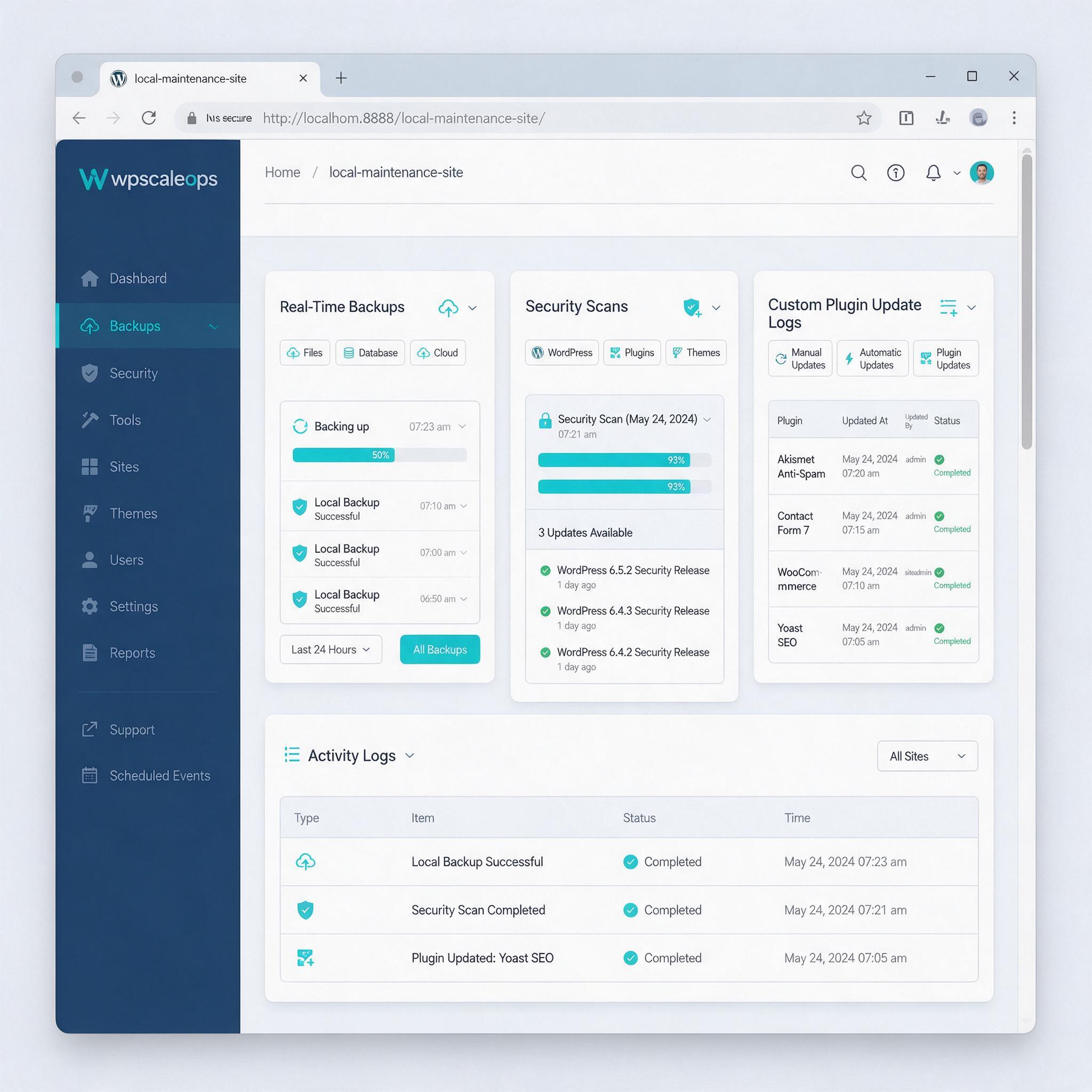
Proactive maintenance flips the script. Instead of waiting for something to break, regular checks catch problems early. A staging environment mirrors your live site. Before any core update, your plugin gets tested against the new version. Performance checks flag slow queries or memory leaks. Security scans identify suspicious file changes or unexpected database queries. This shift from reactive to proactive saves hours of emergency recovery. At WPSCALEOPS, we offer tailored maintenance plans that include custom plugin updates, security scans, and performance checks. Each update flows through a controlled process: backup, test, deploy, monitor. No surprises. No downtime. Your custom code stays up-to-date without breaking the workflows it was designed to enable.
When to Invest in Custom Plugin Development (and When to Wait)
What signs indicate you need a custom plugin?
Three specific signals. You’re spending hours each week on manual workarounds—copy-pasting data, running scripts, or entering the same information into multiple systems. Your site loads slowly because you’ve installed six plugins to approximate one missing function. Or you need a feature that simply doesn’t exist in the plugin repository. When a simple form field, a unique checkout logic, or a specific API connection becomes a bottleneck, that’s your cue. Custom development eliminates the layers of code that generic plugins pile on, giving you exactly what you need and nothing you don’t.
How do you evaluate the ROI of custom development?
Calculate three figures. Time saved: track how many hours your team wastes on manual tasks per month, then multiply by their hourly rate. Revenue from new functionality: estimate how much extra conversion, lead capture, or upselling a tailored feature would generate. Reduced maintenance costs: generic plugins require constant updates, compatibility checks, and often force you to upgrade to bloated “premium” versions. A custom plugin, maintained properly, has no unnecessary features and no third-party dependencies. If the sum of time savings plus new revenue exceeds the development cost within 12 months, invest.
Should you build custom plugins in-house or hire an agency?
In-house works if you have a senior WordPress developer on staff who can commit to long-term maintenance. Most teams don’t. Agencies bring deep WordPress expertise, experience with complex business logic, and ongoing support plans. They handle everything from initial architecture to version control to security patches. WPSCALEOPS offers a free consultation to assess your needs and scope custom development. We evaluate your existing stack, identify the single highest-impact workflow to automate, and provide a clear timeline and cost estimate. No guesswork, no surprises. Just clean, scalable code that grows with your business.
Custom plugins give you the exact functionality your business needs — but without ongoing maintenance, that investment erodes over time. That’s why WPSCALEOPS pairs bespoke plugin development with proactive WordPress maintenance, so your custom code stays secure, fast, and compatible through every update. You get a plugin built for your workflow, plus an engineering team that keeps it running at peak performance. The result: you focus on scaling your business instead of troubleshooting plugin issues. Start a conversation about your custom plugin project.